Business Problem
For people with dietary restrictions, dining out or eating at friends' homes presents a conflict. Existing solutions (barcode scanners) work in supermarkets but fail in social settings.
The Gap: Users often eat unsafe food simply to avoid being the "difficult guest" who interrogates the host.
The Opportunity: A tool that bridges the gap between strict safety and social fluidity.
Design Review of Existing Solutions
I analysed market leaders like Fig and AllergyForce.
Insight: These apps rely on barcodes or manual text entry. They are highly accurate but socially intrusive.
Opportunity: There is no "shazam for food" that allows for discreet checking in a social environment.
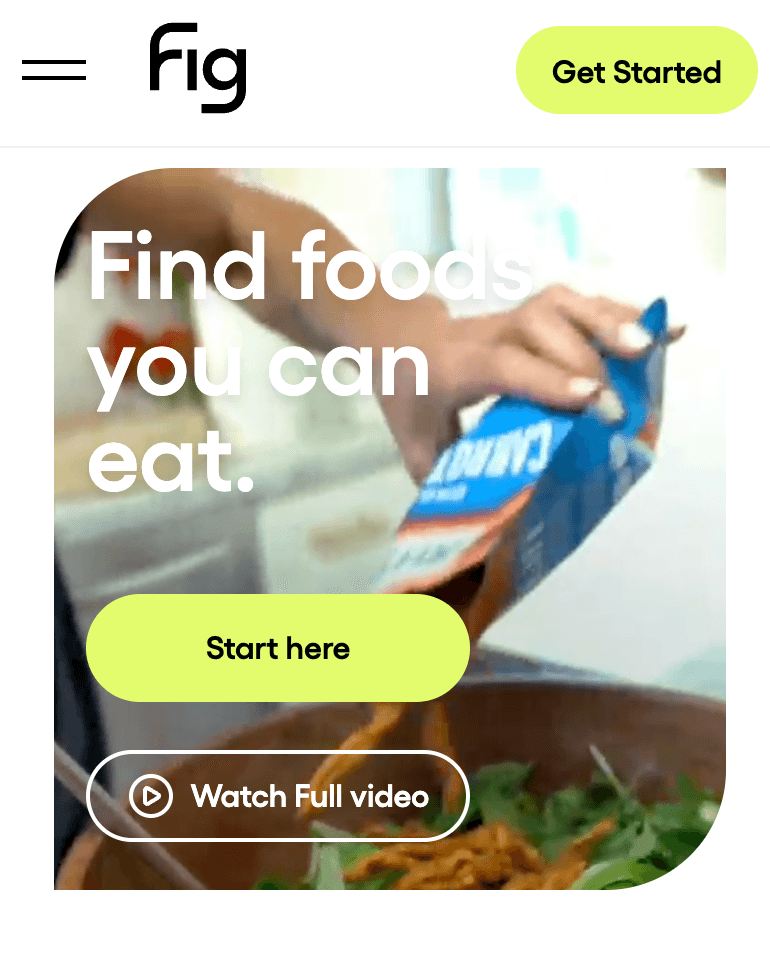
Fig – Food Scanner & Discovery
Platforms
iOS, Android
Core Features
Fig is a comprehensive diet and allergen management app that supports virtually "EVERY dietary restriction and allergy", with over 2,800 possible profile customisations. Users create a personal profile selecting their allergens (e.g. peanuts, tree nuts, eggs, shellfish, etc.) or other diet needs (gluten-free, low FODMAP, etc.). The app then lets you scan product barcodes to instantly check if a product's ingredients are safe for you. It also provides a discovery feature to find new foods that fit your diet at over 100 grocery stores and some restaurants. Multiple user profiles ("Multiple Figs") can be managed, making it easier for families with different allergies.
Detection Method
Barcode scanning is the primary method – point your phone at a product's UPC and Fig shows whether the ingredients contain any of your flagged allergens. In addition, Fig's database allows manual searching and browsing of foods that are safe for your profile.
AllergyForce
Platforms
iOS, Android
Core Features
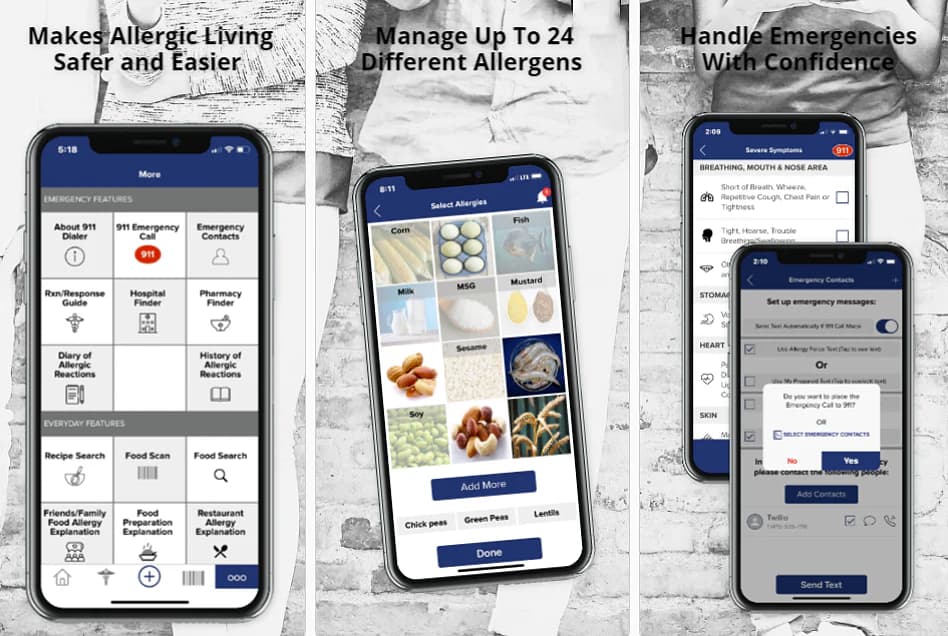
AllergyForce is an all-in-one food allergy management app with a host of features, among which is a powerful food product allergen scanner. Users create an Allergy Profile in the app by selecting their allergens from a list of common and less-common allergens (the app lets you manage up to 24 allergens per profile). The 12 most common allergens are pre-listed – "Eggs, Corn, Fish, Milk, MSG, Mustard, Peanuts, Sesame, Shellfish, Soy, Tree Nuts, and Wheat" – and you can add 12 more custom allergens as needed. Once your profile is set, you can scan food barcodes: the app will compare the product's ingredients (from multiple databases and a hidden allergen list) with your profile. If any of your allergens are found, it gives a clear "RED – STOP" warning and identifies the ingredient that was a match. If none of your allergens are found, it gives a "YELLOW – Be Cautious" signal, advising you to still read the label (for possible traces or warnings). This scanner acts like a "second set of eyes" for label reading. Beyond scanning, AllergyForce includes other useful tools: a restaurant database (with dining-out advice and an Allergy Explanation Card to show staff), emergency quick-call and reaction management guidance, a peanut recall alert service, and more (some features are premium). Essentially, it aims to be a daily companion app for allergy sufferers.
Usability Testing Scenario
I initially designed "EatSafe" as a medical safety device for severe allergy sufferers.
Imagine yourself in a scenario:
You have food allergy on seafood and egg, and you are having dinner in a friend's home, but you don't want your friend to know that you have food allergy and you don't want to seem rude to interrogate your friend for every ingredient.
This scenario highlights the need for a discreet, non-intrusive way to check food safety without drawing attention or making others feel uncomfortable.
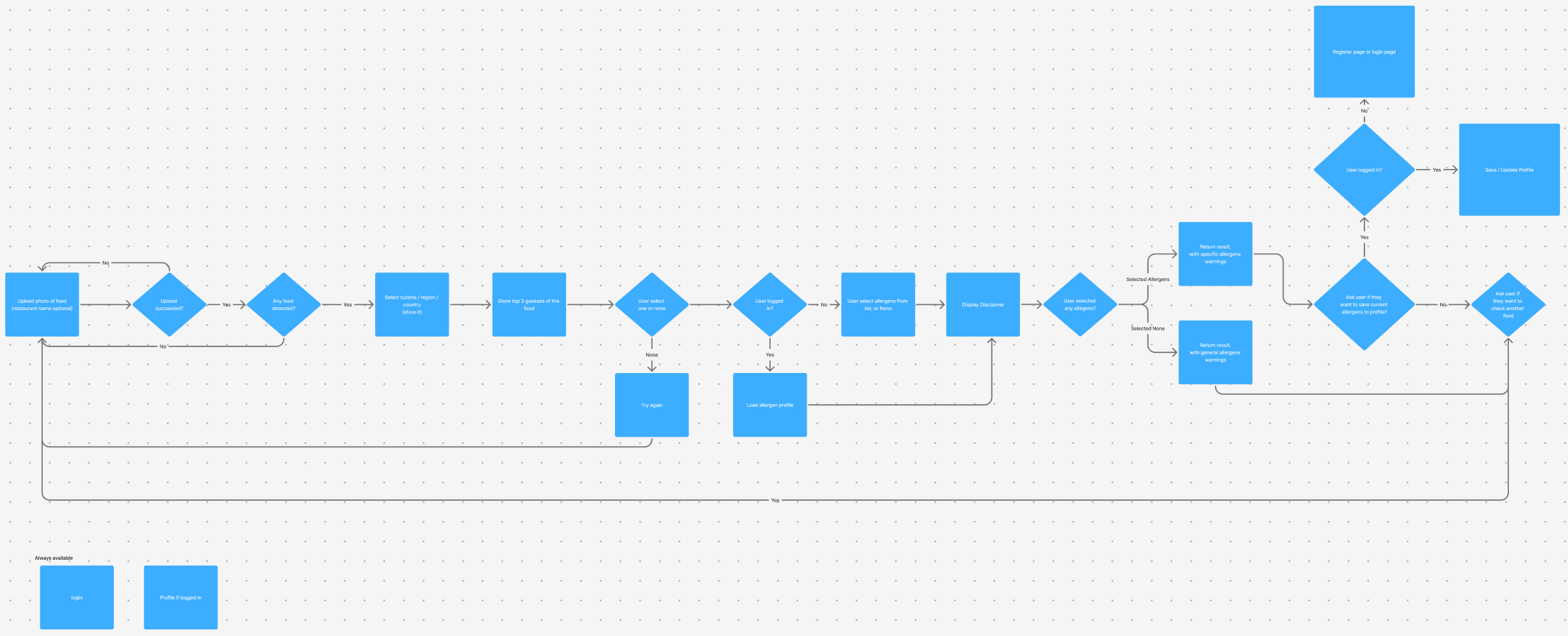
Initial Proposed User Journey
I mapped out a flow based on the assumption that users would want AI to detect allergens for safety.
Interface Design & Logic
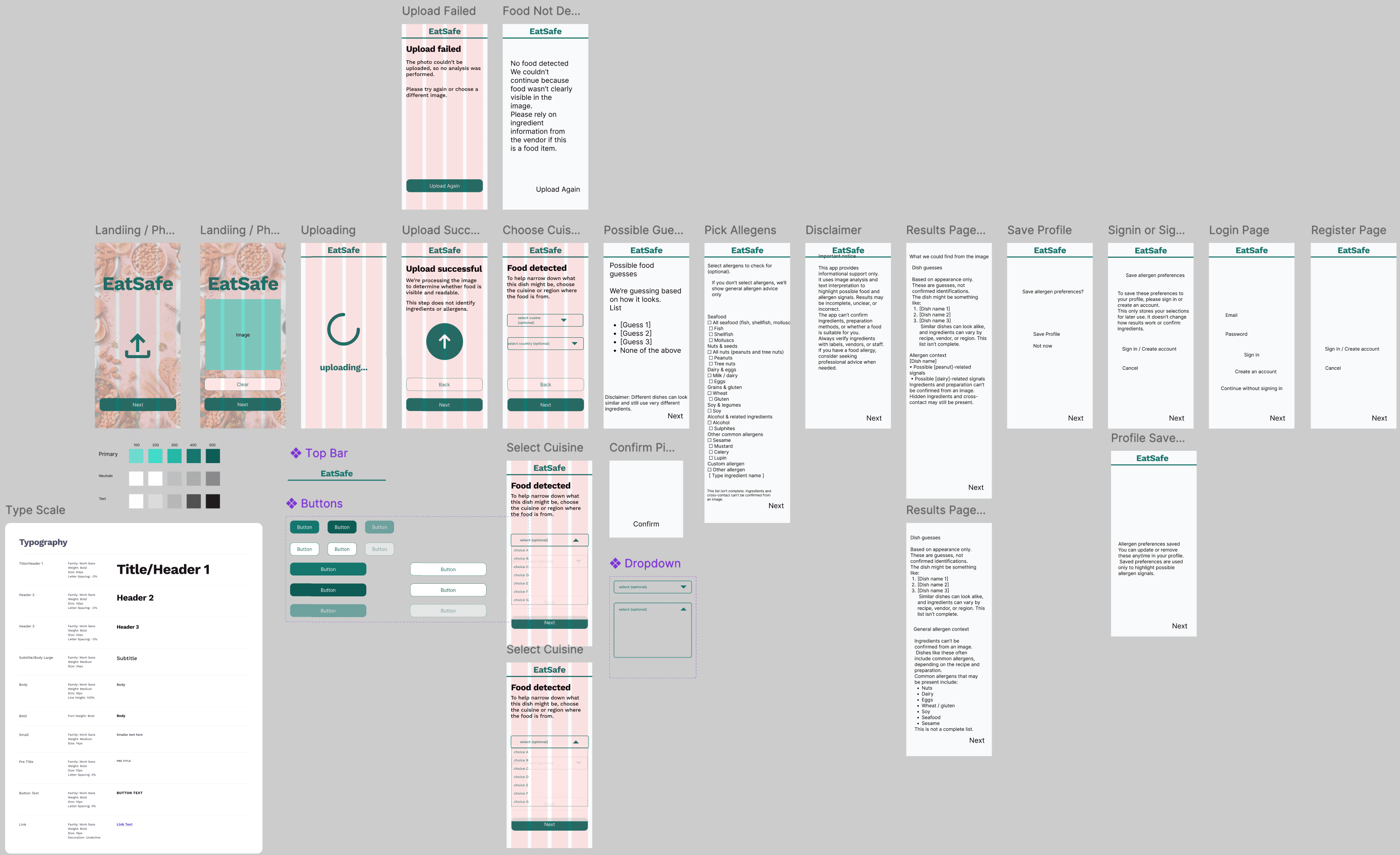
A bird's-eye view of the design workspace, showcasing the evolution from content mapping to the final UI.
Design Intent:
- Design System: Established a lightweight library (color tokens and atomic components) early to ensure consistency across the application.
- Content-First: Evolved directly from content mapping to high-fidelity screens, prioritising information hierarchy over decoration.
- State Definition: Defined critical interaction states—such as 'Loading' and 'Error'—prior to code implementation to prevent logic gaps.
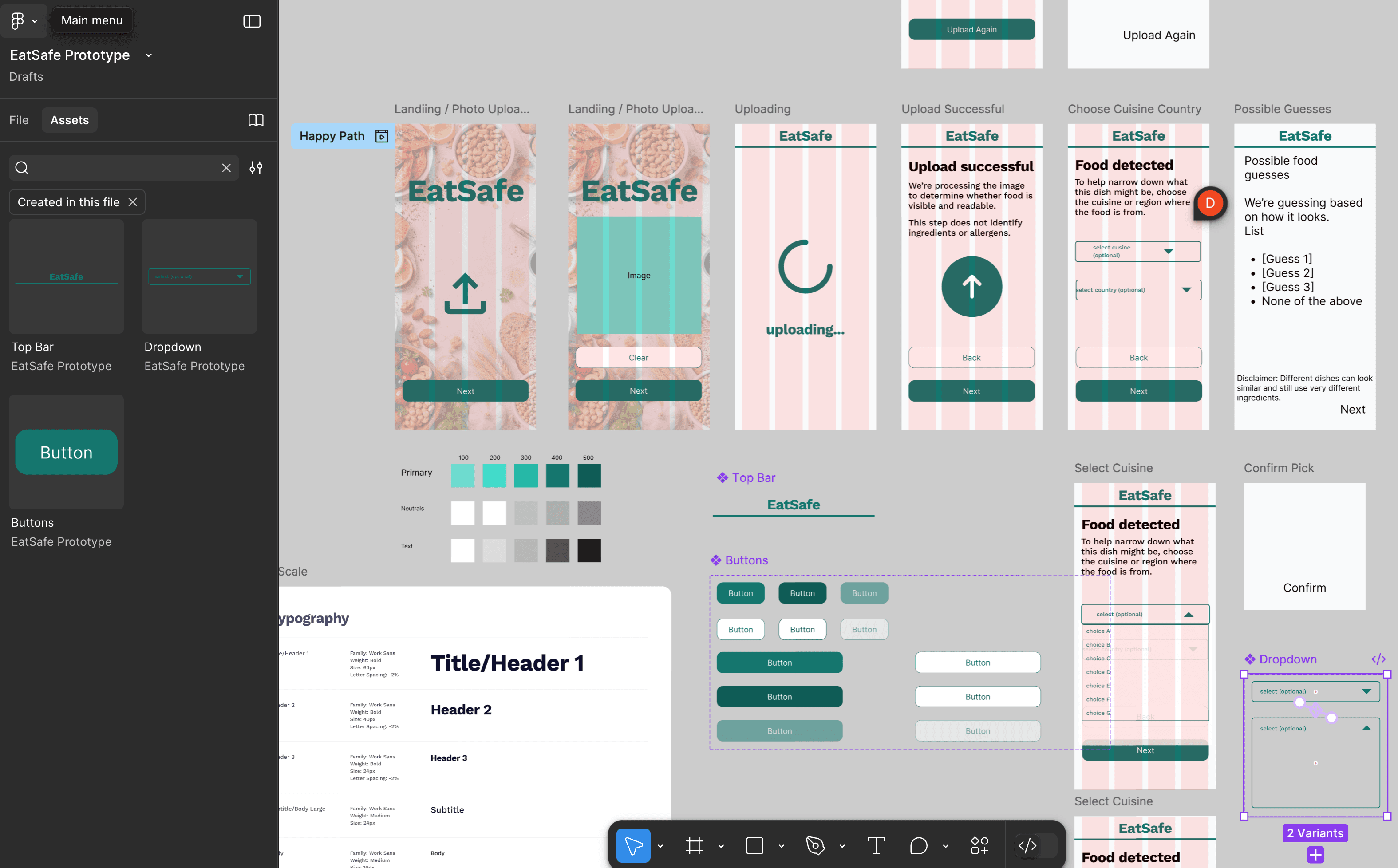
To move beyond static screens and establish the 'feel' of the application, I began prototyping the initial sequence.
Design Intent:
- Grid Systems: Utilised a 4-column mobile grid to ensure touch targets met accessibility standards.
- Establishing Momentum: Connected the initial upload sequence (Landing → Success) to define the pacing and transition style for the app's entry point.
- Component Behavior: Built out interactive states for the dropdown menus to test the UI patterns before expanding to the rest of the flow.
Phase 1: The Hypothesis (EatSafe)
A rapid code prototype focused on validating the friction of the image upload experience.
EatSafe
Solution Overview
To test the 'entry point' of the experience, I prototyped the image upload and processing states in code. This allowed me to evaluate the interaction cost of uploading a photo versus the potential value, before committing to building the complex analysis logic.
*Live React/Vite deployment. Best viewed on mobile.
Key Innovation
I utilised an AI-integrated workflow (Figma → Cursor via MCP) to translate design nodes into working React code. This allowed me to verify the visual feedback loop (Upload → Loading State) in a live browser environment with zero manual coding time.
Try Interactive Prototype
View the Live ResultHow It Works
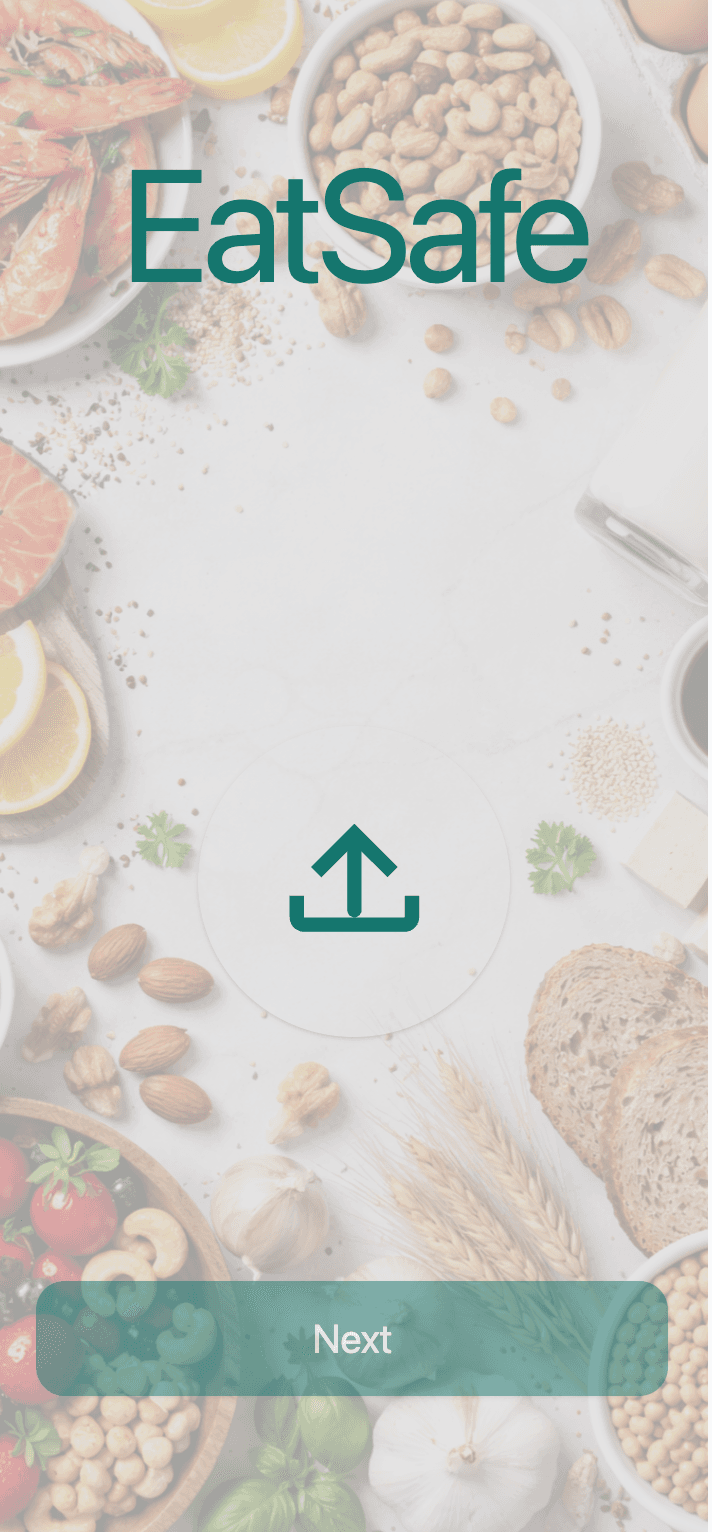
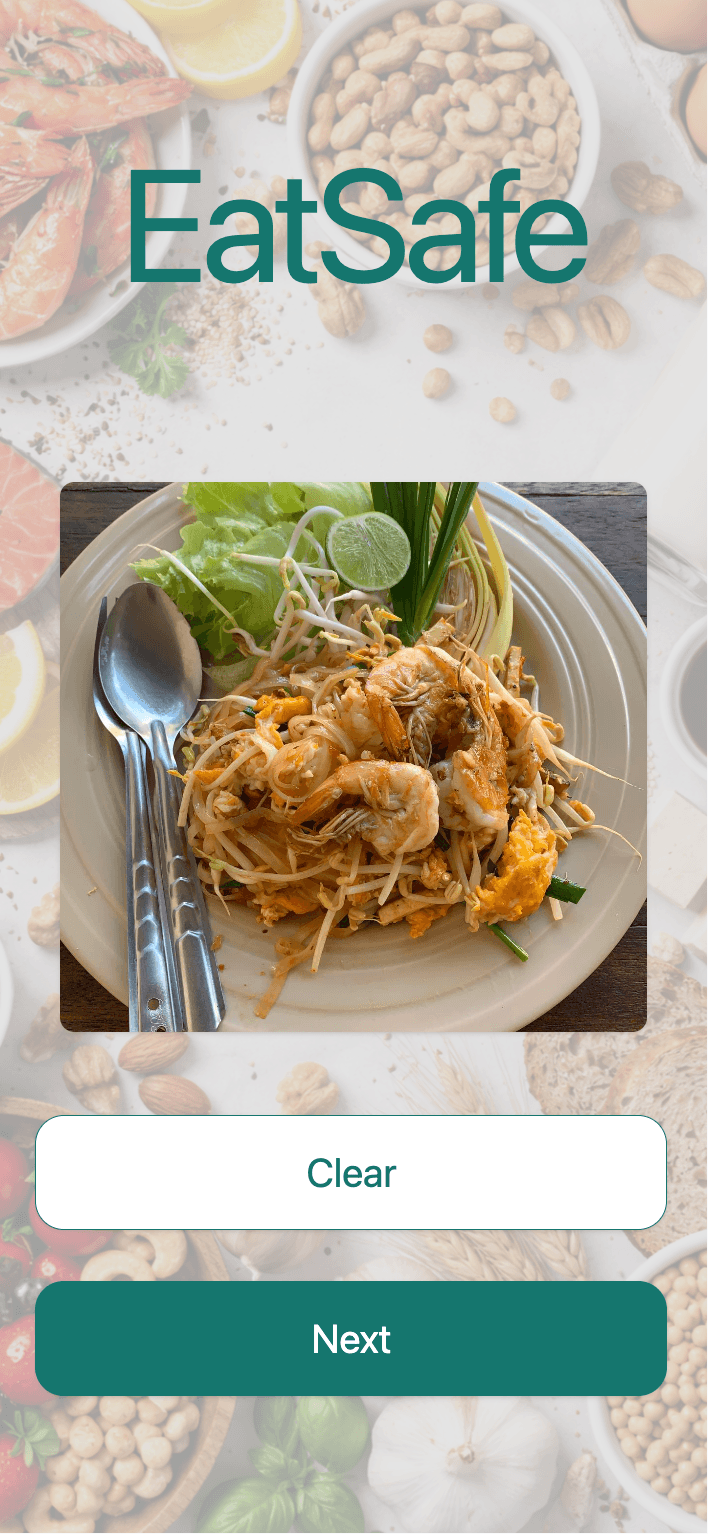
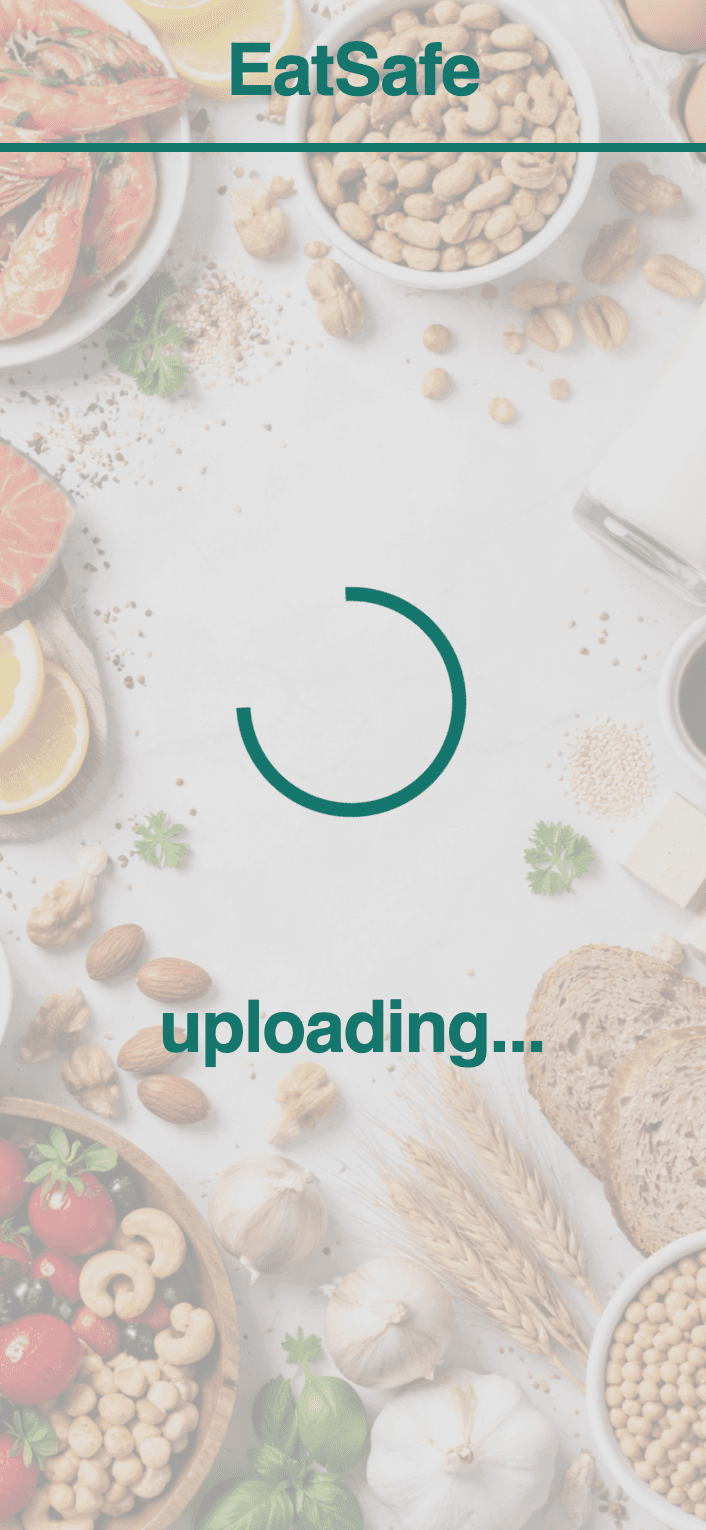
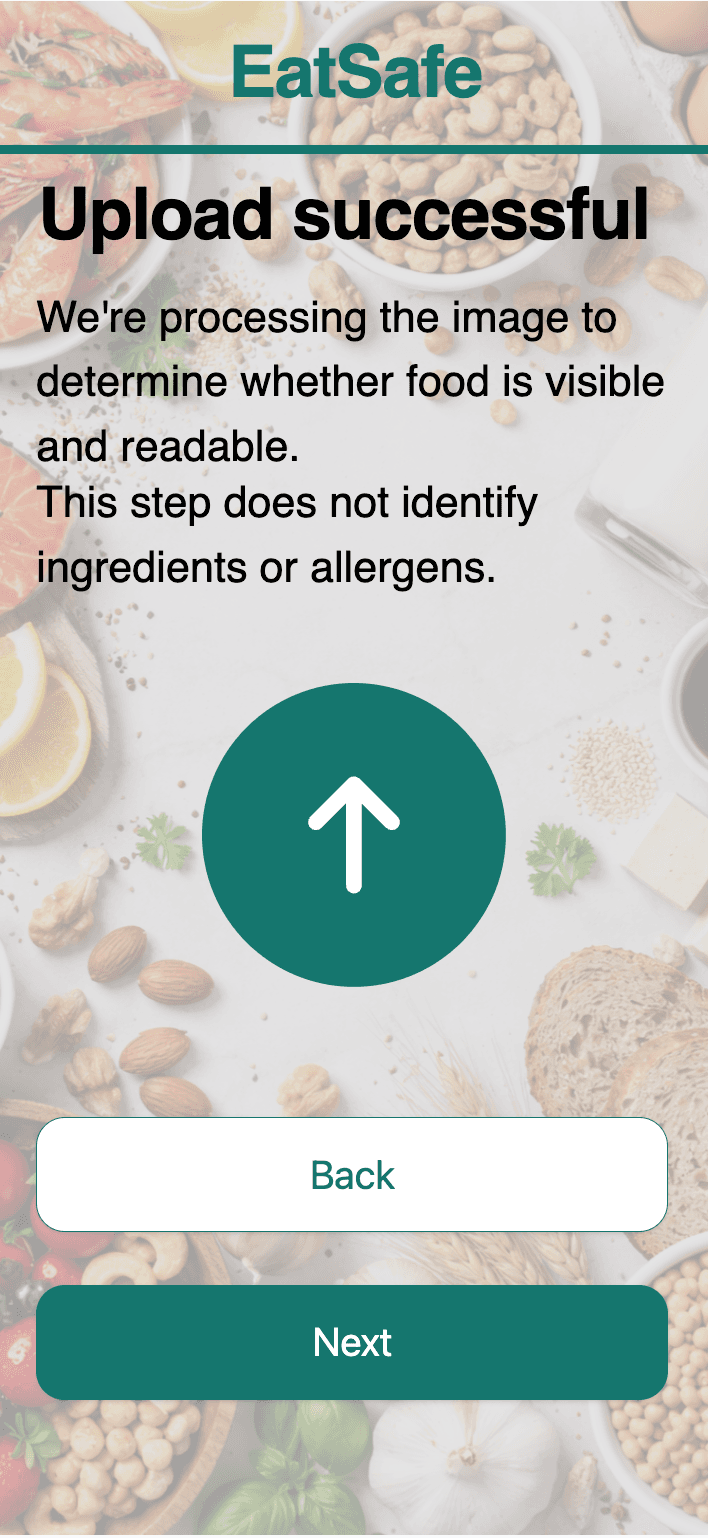
- 1.User engages with the file picker
- 2.Interface provides immediate visual feedback (thumbnail preview)
- 3.System enters 'Uploading' state (Loading Spinner) to manage user expectations
- 4.UI transitions to a 'Success' state, confirming data capture
User Research
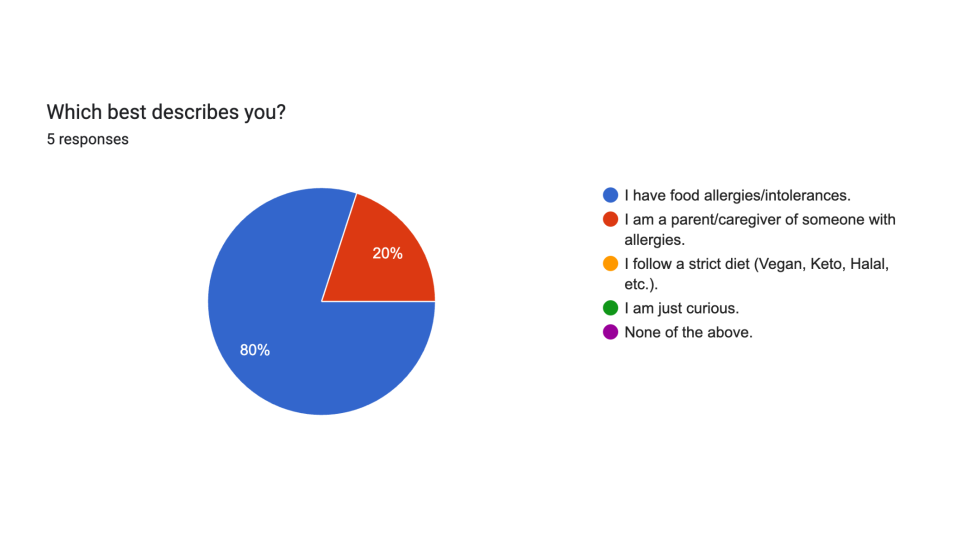
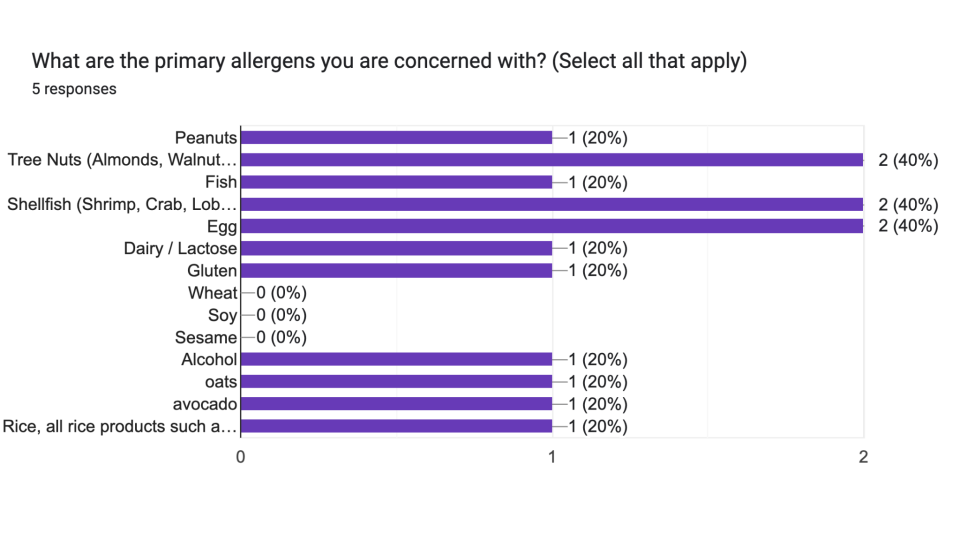
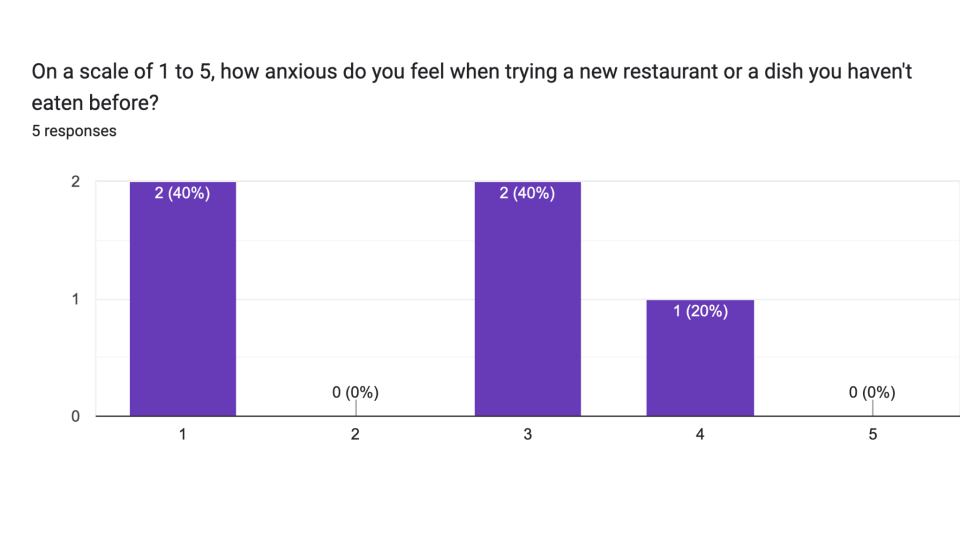
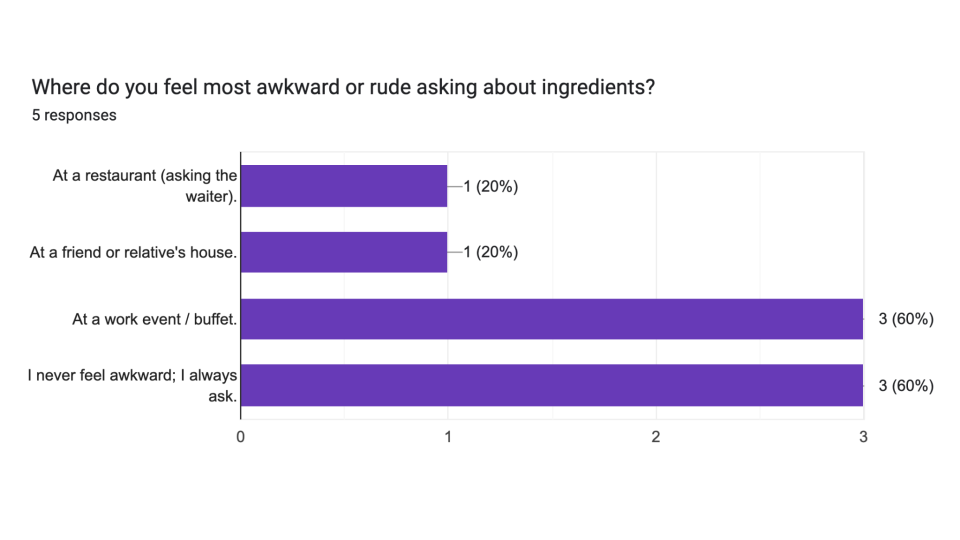
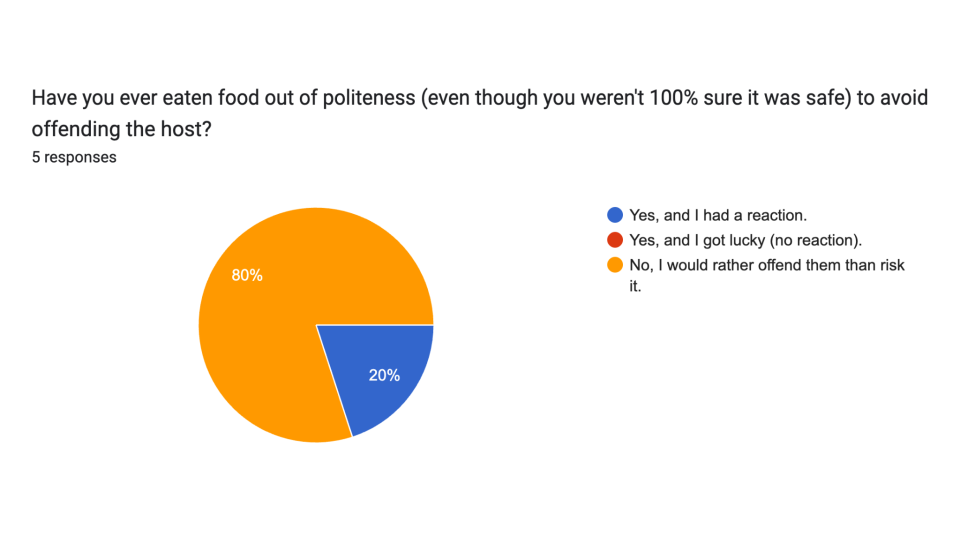
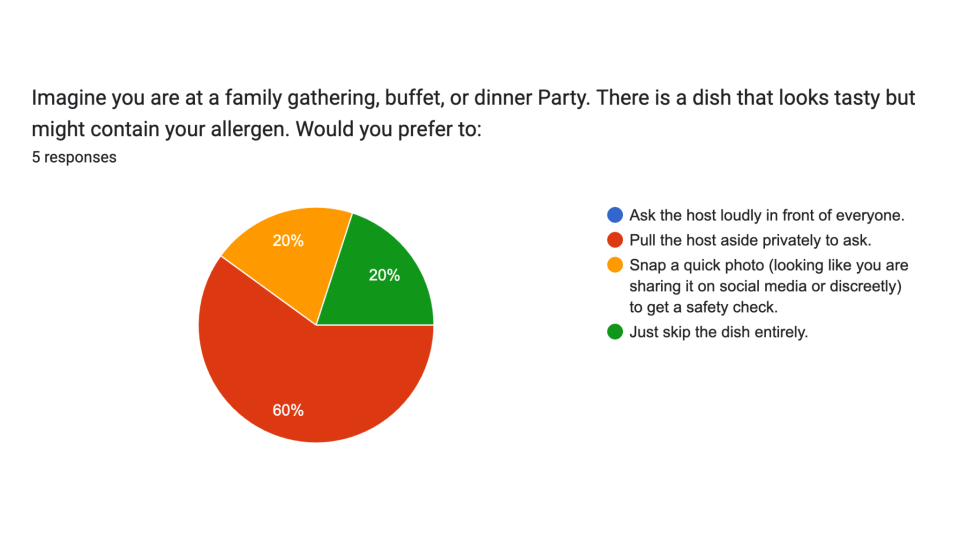
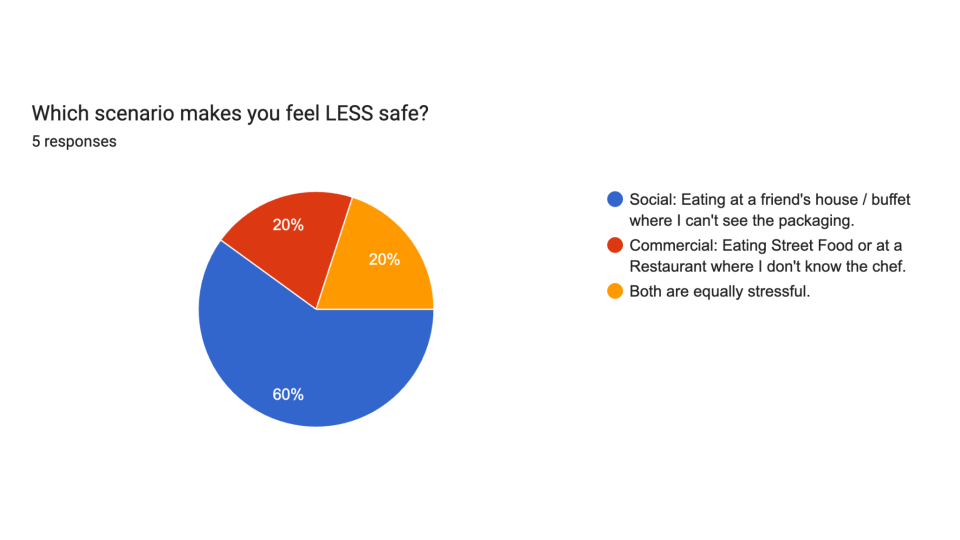
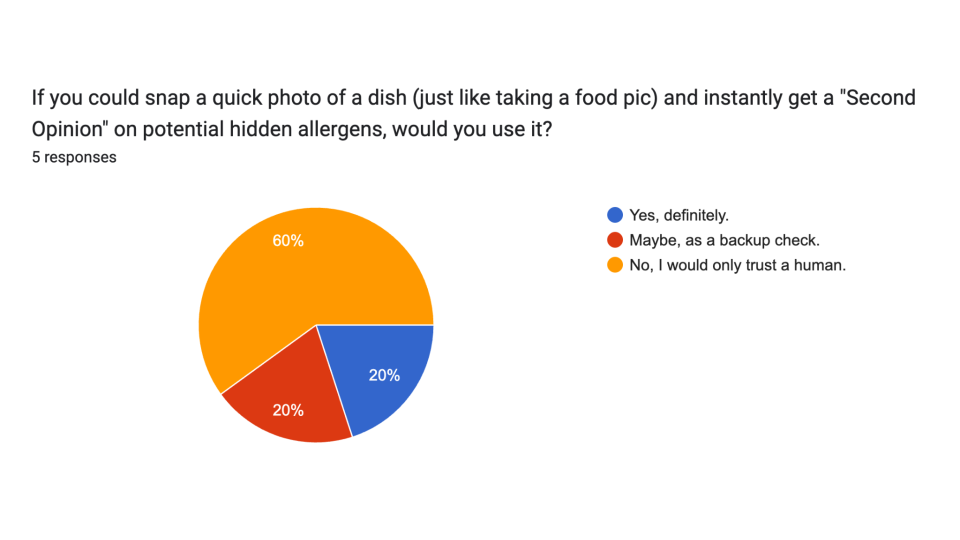
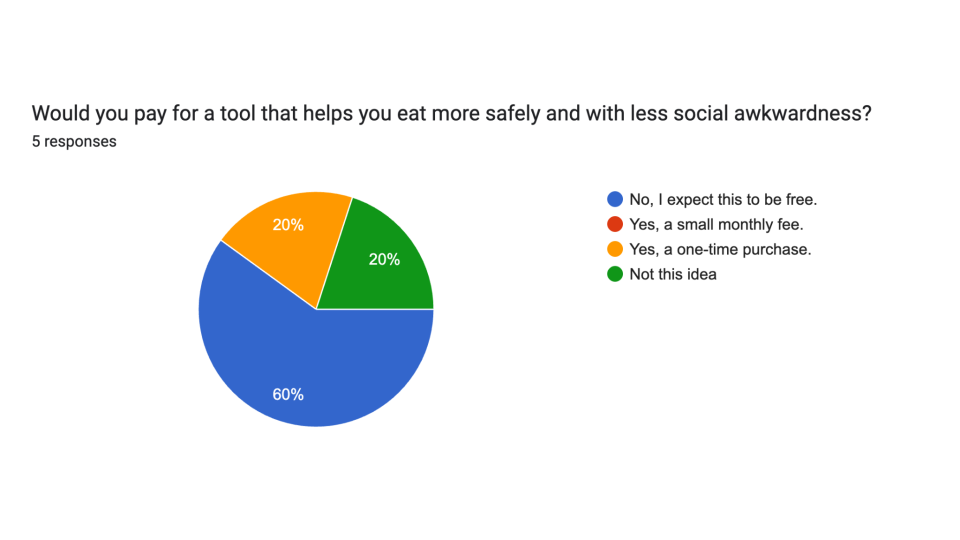
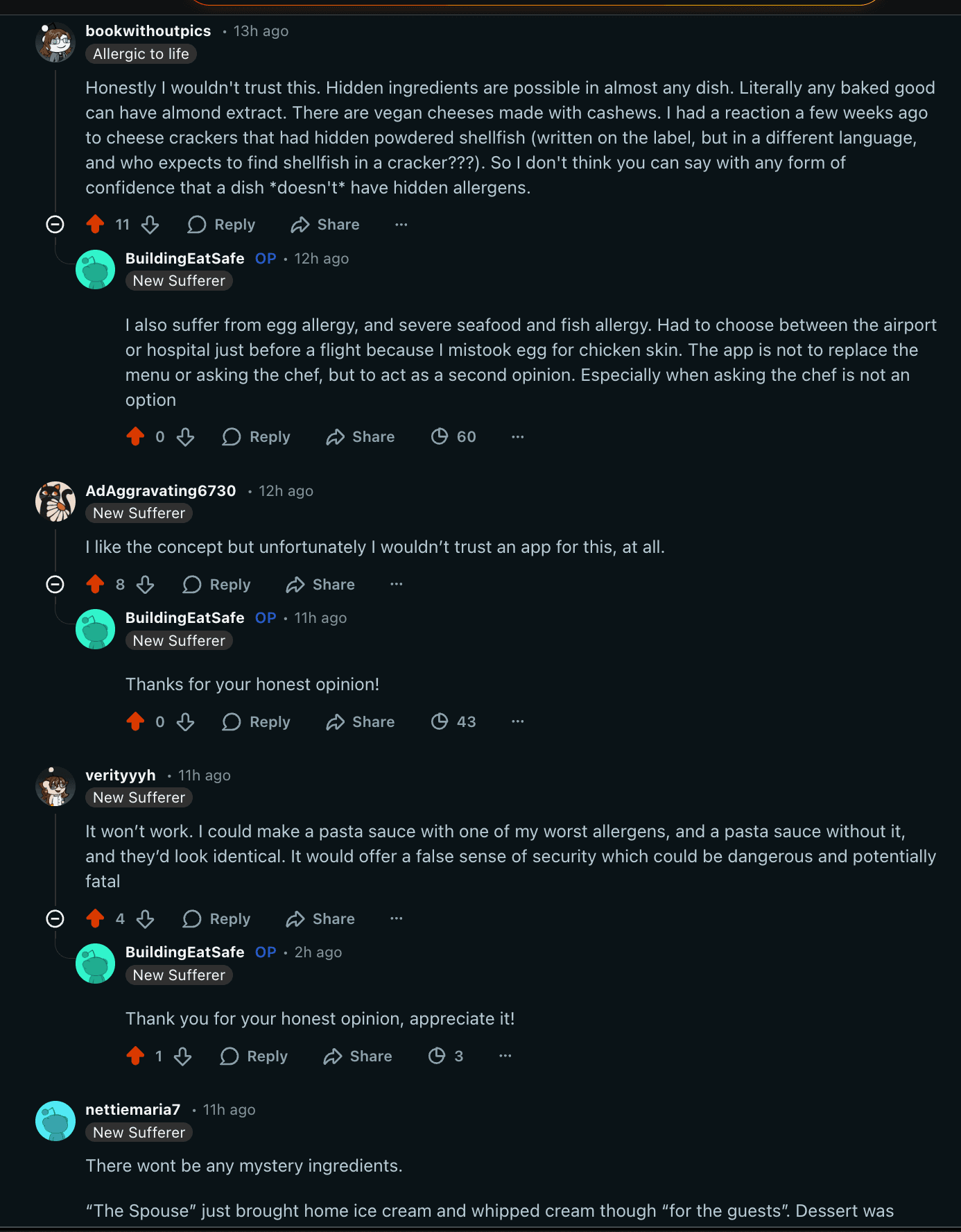
The initial goal of this project was to build a medical safety net for users with life-threatening allergies. However, the discovery phase revealed a critical barrier: Trust.
Quantitative research indicated that users with severe allergies (e.g., anaphylaxis) require 100% certainty - a standard currently impossible for Generative AI to guarantee visually.